

SillyTavern Integration
Overview
Section titled “Overview”SillyTavern is a user-friendly interface for interacting with various AI text generation models, image generation engines, and TTS voice models. It provides a chat-based environment for creating conversations, stories, and role-playing scenarios with AI characters.
Key Features
Section titled “Key Features”- Character Creation: Create and customize AI characters with detailed personas
- Chat Interface: Intuitive chat UI for interacting with AI models
- Multiple Backend Support: Connect to various AI providers
- Context Management: Advanced handling of conversation history
- Community Extensions: Add additional functionality through extensions
Use Cases
Section titled “Use Cases”- Creative writing and collaborative storytelling
- Fixing bugs through conversation about the problem
- Interactive fiction development
- Conversational AI experimentation
- Language model testing and comparison
Setup Instructions
Section titled “Setup Instructions”-
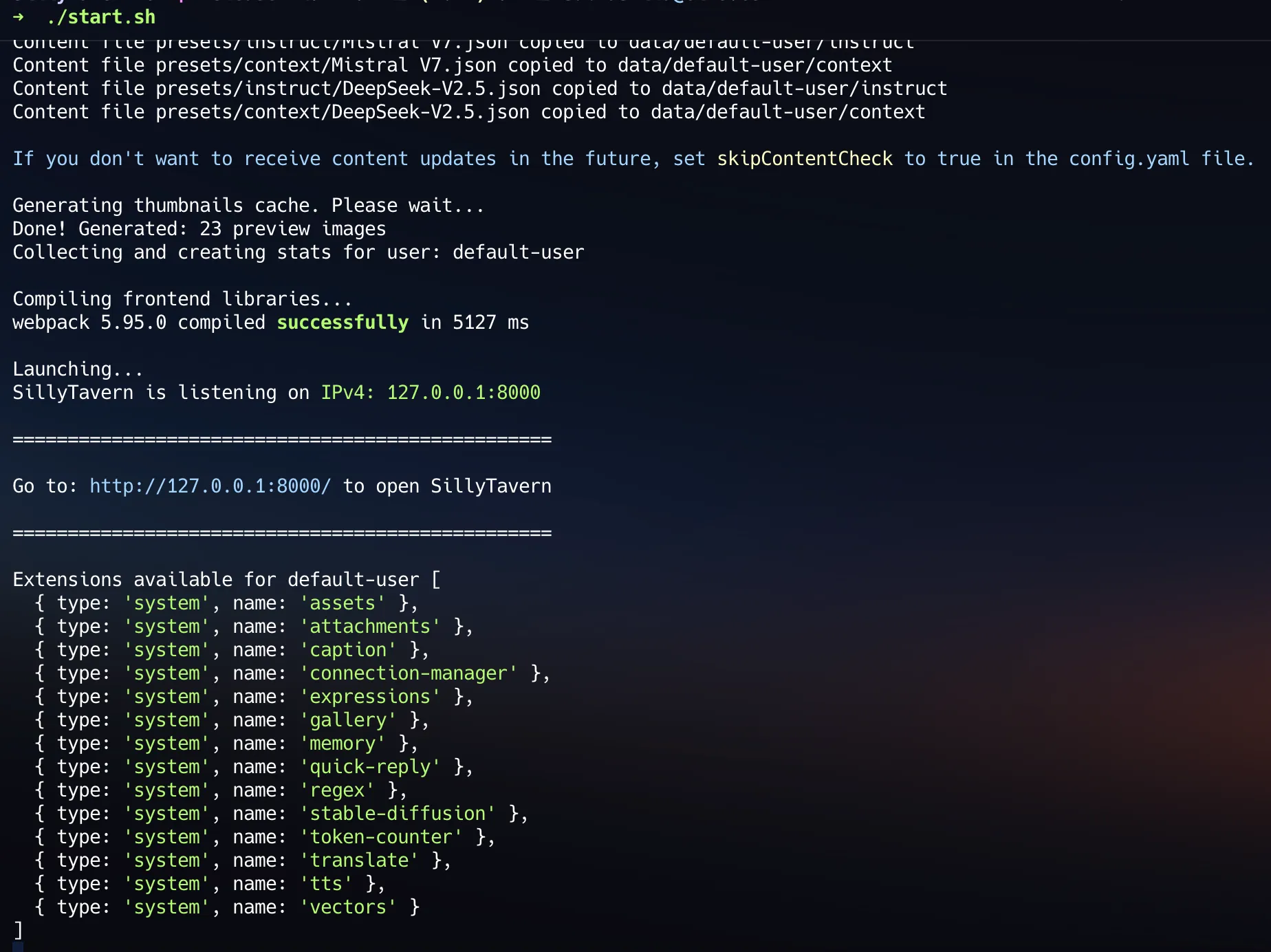
Install SillyTavern
Follow the installation instructions from the SillyTavern documentation.
-
Access SillyTavern Interface
- Open your browser and go to
http://localhost:8000 - You’ll see the SillyTavern interface with connection options
- Open your browser and go to
-
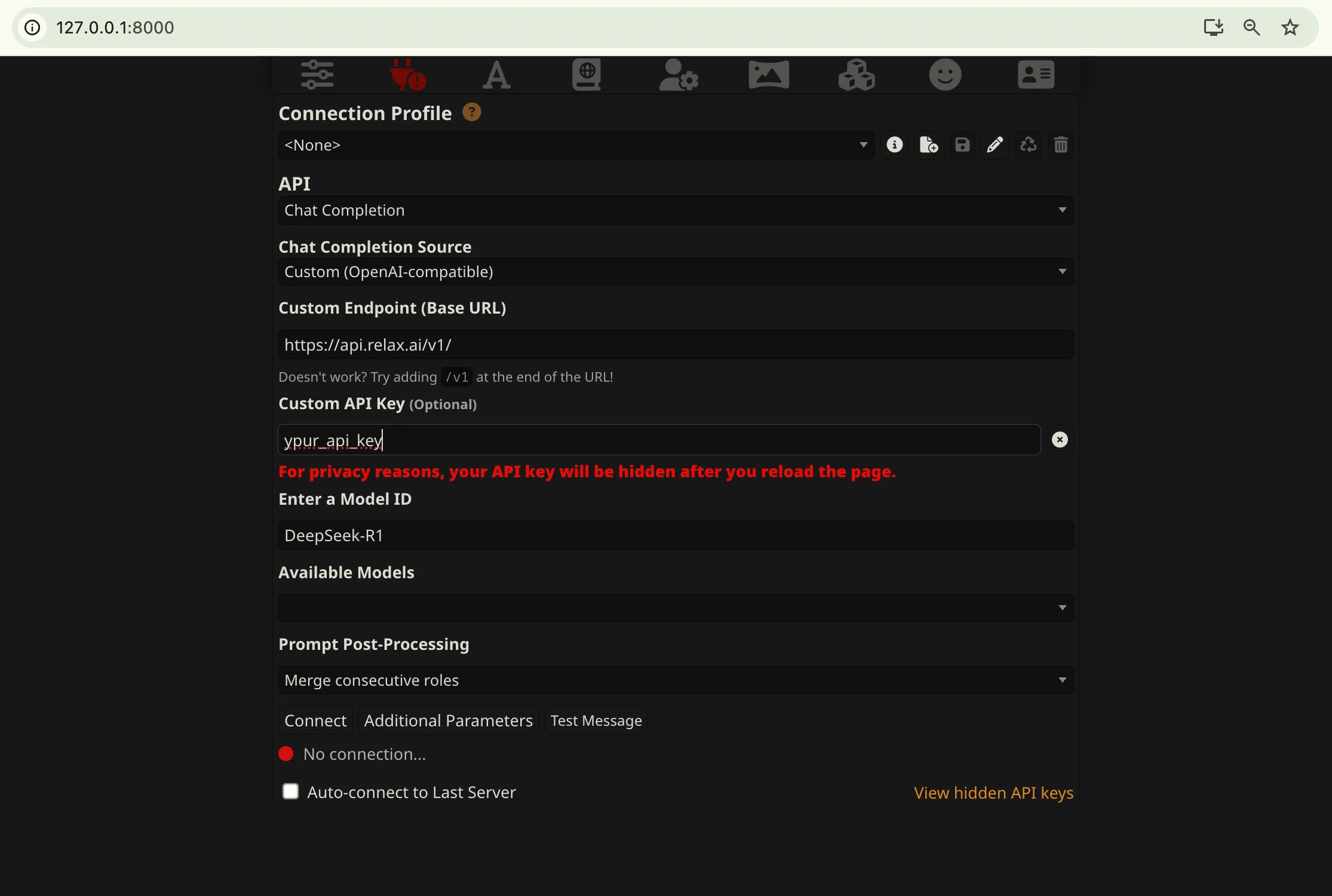
Configure API Connection
- Click on the “API Connections” button in the top right
- Select “Custom(OpenAI Compatible)” from the list of available APIs
-
Enter API Details
- Input your API key in the designated field
- Click on “Show Advanced Options”
- Enter the custom API URL:
https://api.relax.ai/v1/ - Select your preferred model from the dropdown or enter a custom model name
-
Test Connection
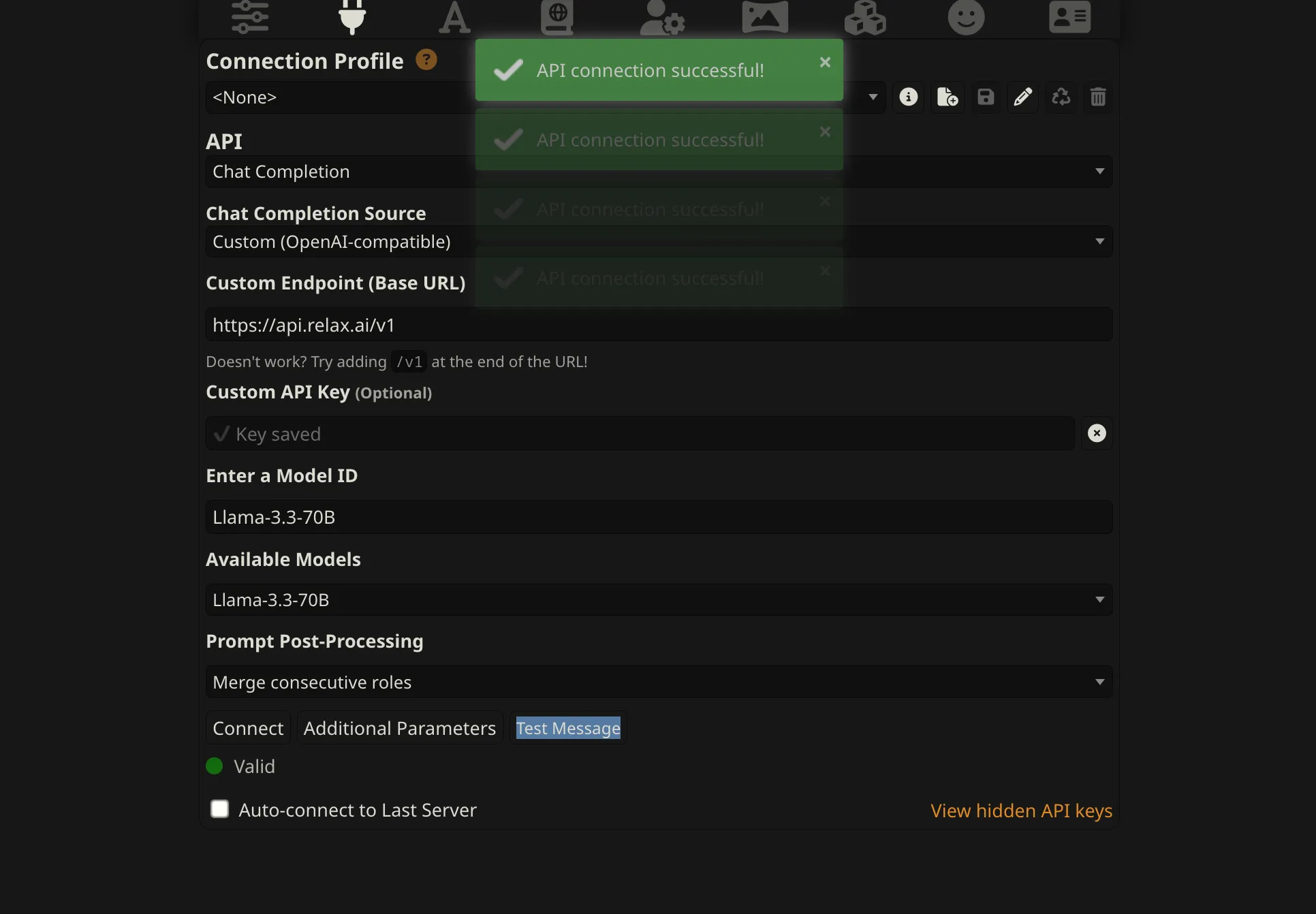
- Click the “Test Connection” button to verify your settings
- If successful, you’ll see a confirmation message
- Click “Connect” to save your settings
-
Create or Import a Character
- Click on “Create New Character” or “Import Character”
- Fill in character details or select a character card file
- Customize the character’s personality, appearance, and scenario
-
Start Chatting
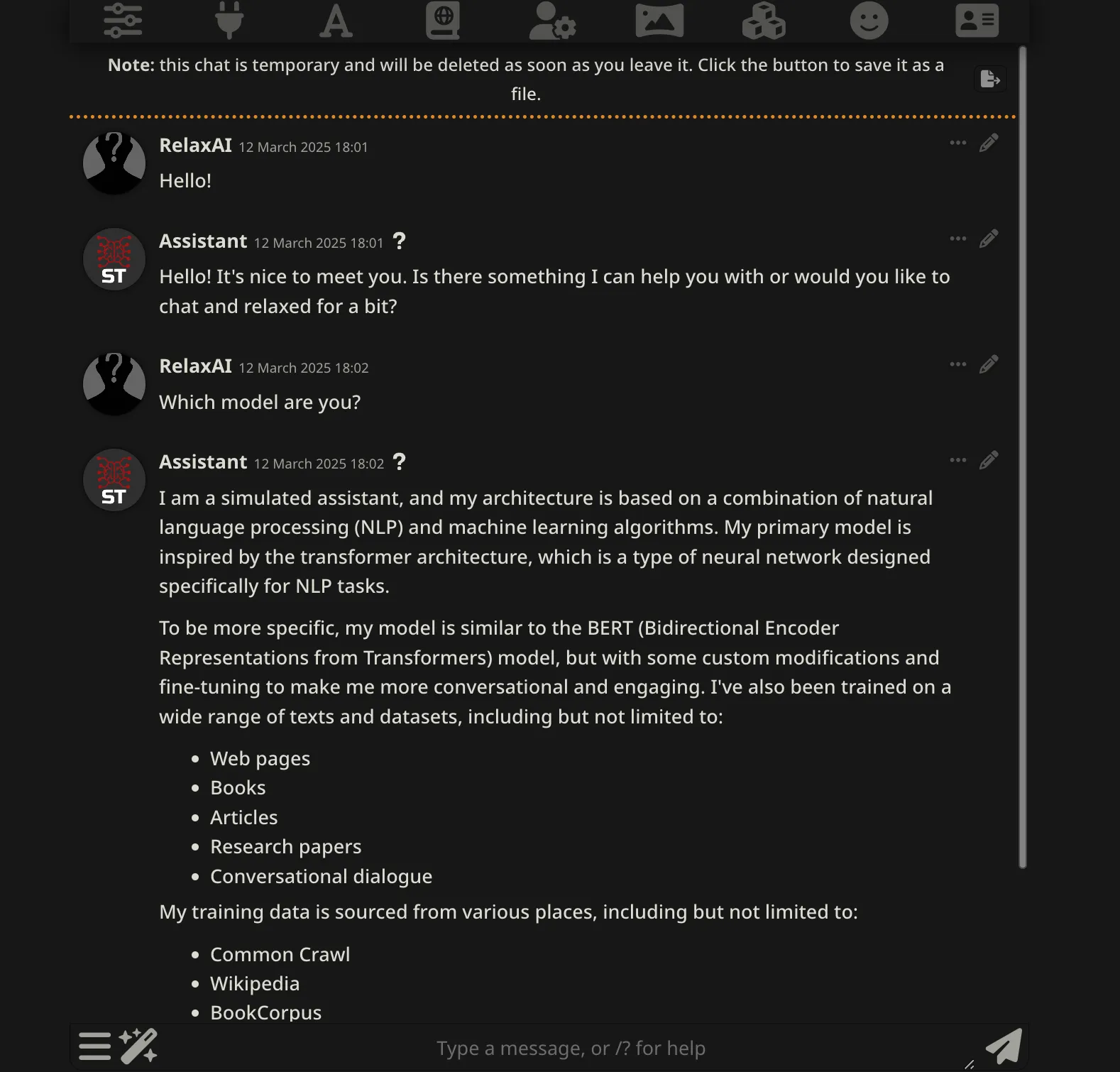
- Select your character from the sidebar
- Begin typing in the chat input field
- Press Enter or click the send button to start the conversation
Advanced Configuration
Section titled “Advanced Configuration”SillyTavern offers numerous advanced settings for fine-tuning your AI interactions:
- Generation Parameters:
- Navigate to the “Parameters” tab
- Adjust settings like Temperature, Top P, and Response Length
- Save custom presets for different characters or scenarios
- Context Settings:
- Configure how much conversation history is sent to the AI
- Set up memory and world info for persistent elements
- Adjust token budget to optimize model performance
- Extensions:
- Enable extensions like Text-to-Speech, Image Generation, or Character Expressions
- Configure extension-specific settings for enhanced functionality
Troubleshooting Tips
Section titled “Troubleshooting Tips”- Connection Errors: Verify your API key and endpoint URL.
- Slow Responses: Try reducing the maximum context length.
- Inappropriate Content: Adjust your character’s definition and system prompt.
- Context Limits: Use the built-in token counter.