

Sourcegraph Cody Integration
Overview
Section titled “Overview”Sourcegraph Cody is a sophisticated AI coding assistant that understands your entire codebase and development context. It provides intelligent code navigation, generation, and question answering capabilities.
Key Features
Section titled “Key Features”- Repository-Wide Understanding: Comprehends entire codebases
- Semantic Code Search: Find code by describing functionality
- Context-Aware Generation: Creates code that fits your project
- Automated Refactoring: Intelligent code restructuring
- Documentation Generation: Creates thorough code documentation
Use Cases
Section titled “Use Cases”- Exploring and understanding large codebases
- Generating code based on natural language descriptions
- Answering technical questions about your code
- Automated refactoring of legacy code
- Creating and maintaining documentation
Note: Custom LLM integration available in Sourcegraph Enterprise.
Setup Instructions
Section titled “Setup Instructions”-
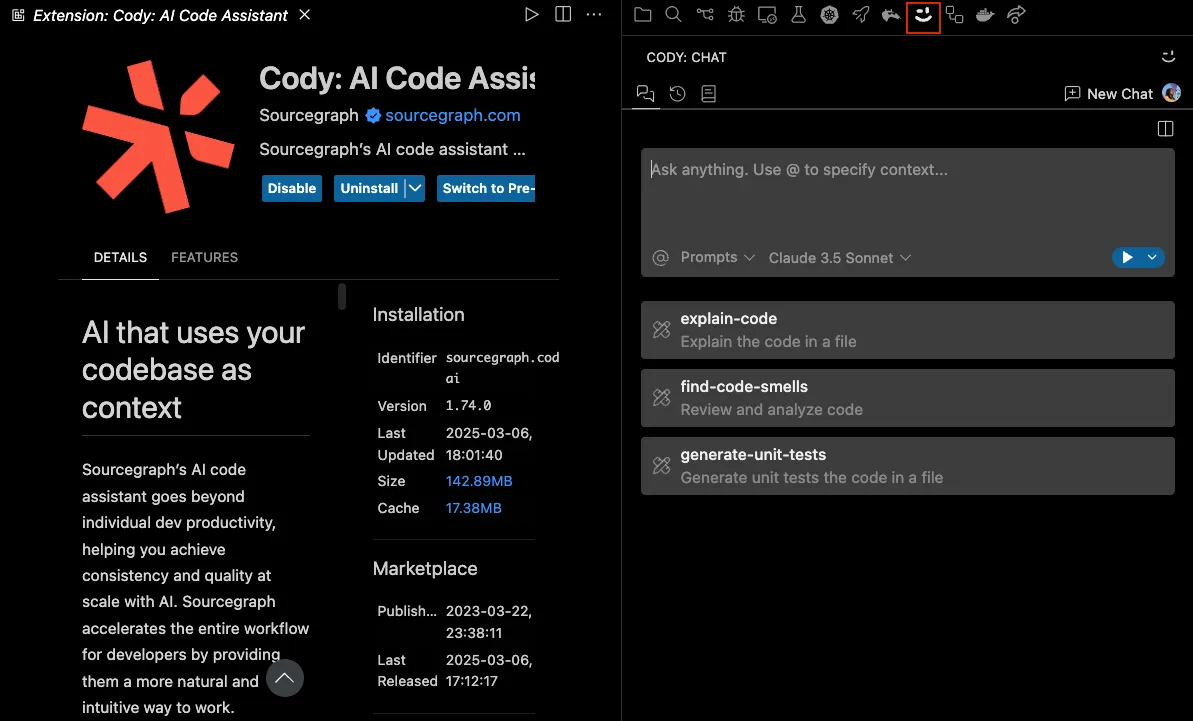
Install Sourcegraph Cody extension
Open the extension settings in your IDE and install the Sourcegraph Cody extension.
-
Navigate to user settings
Navigate to user settings JSON configuration and add the following.
-
Add a custom LLM provider
{"cody.dev.models": [{"provider": "openai","model": "<model name>","inputTokens": 32000,"outputTokens": 4000,"apiKey": "relaxai_api_key","options": {"temperature": 0.0},"apiEndpoint": "https://api.relax.ai/v1"}]} -
Save and restart
Save settings and restart Cody to see the new model in action.
Using Cody
Section titled “Using Cody”Sourcegraph Cody offers several powerful features:
- Ask Cody: Ask questions about your code
- Explain Code: Get detailed explanations of selected code
- Generate Code: Create code from natural language descriptions
- Command Palette: Access all features through commands
- Documentation: Generate documentation for functions and classes